
How to Use Document Signing in PawnCRM
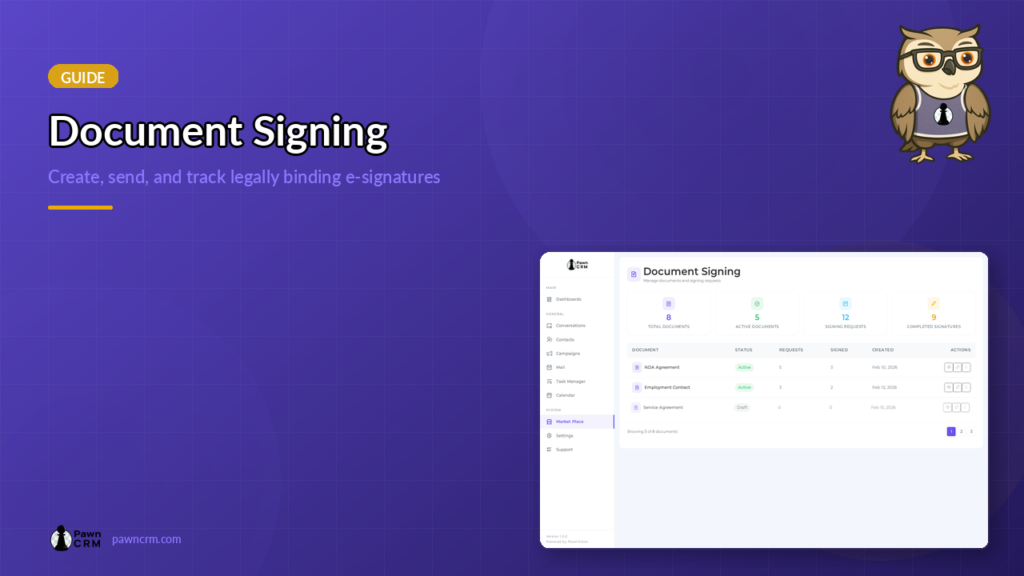
PawnCRM’s Document Signing module lets you create, send, and track legally-binding documents without leaving your CRM. Upload contracts, add signature and date fields with a visual drag-and-drop builder, generate secure signing links, and monitor every request in real time.
Document Library Overview
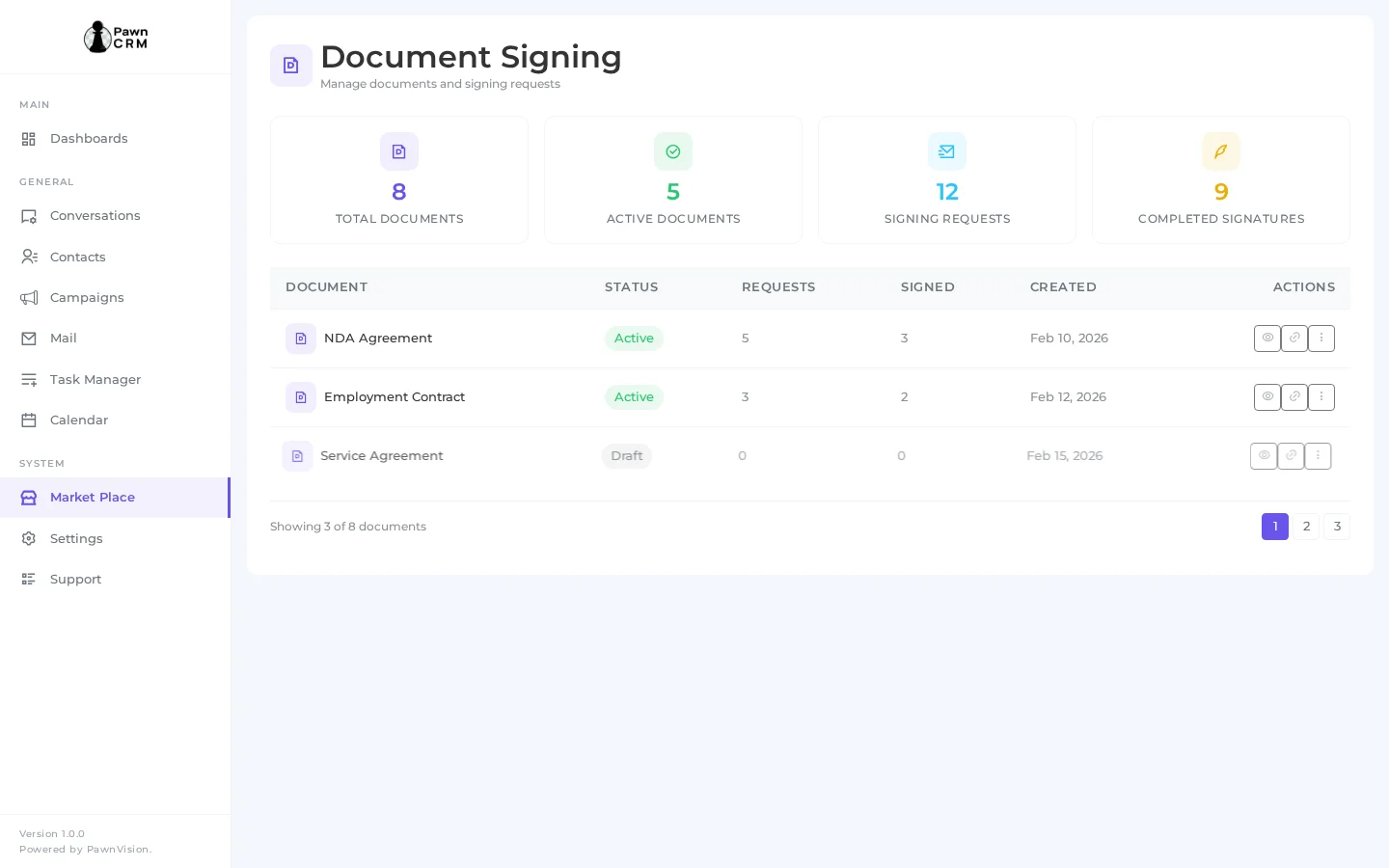
The Document Library is your central hub for all signing documents. At the top, summary cards show total documents, pending signatures, completed documents, and expired requests at a glance. Below, a searchable table lists every document with its title, status, recipient count, creation date, and quick actions for editing, sharing, or deleting.
Uploading Documents
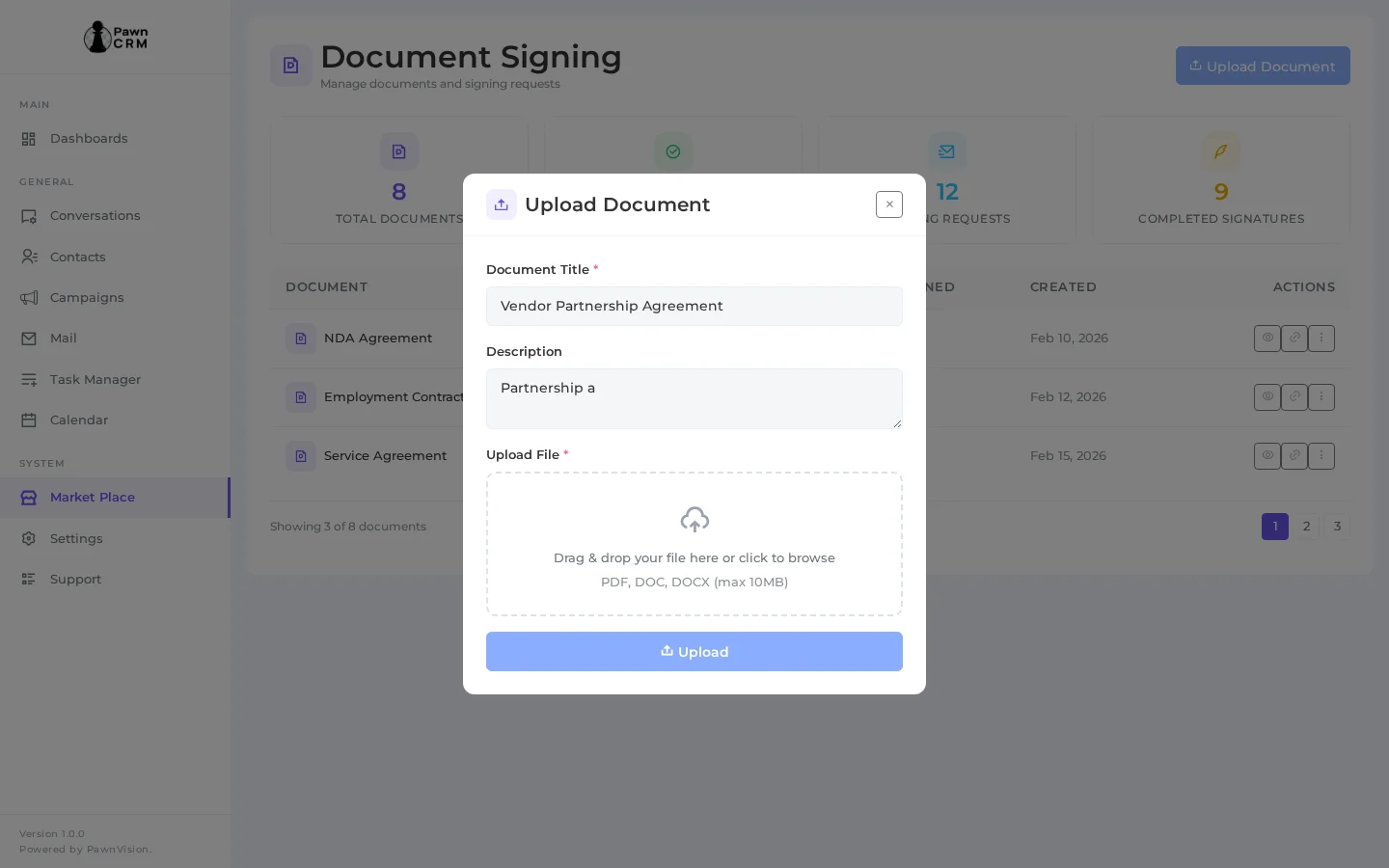
To add a new document, click the “Upload Document” button to open the upload modal. Enter a document title, add a description, and drag-and-drop or browse for your PDF file. The upload modal supports PDF files and validates the format before proceeding to the builder.
Document Builder with Signing Fields
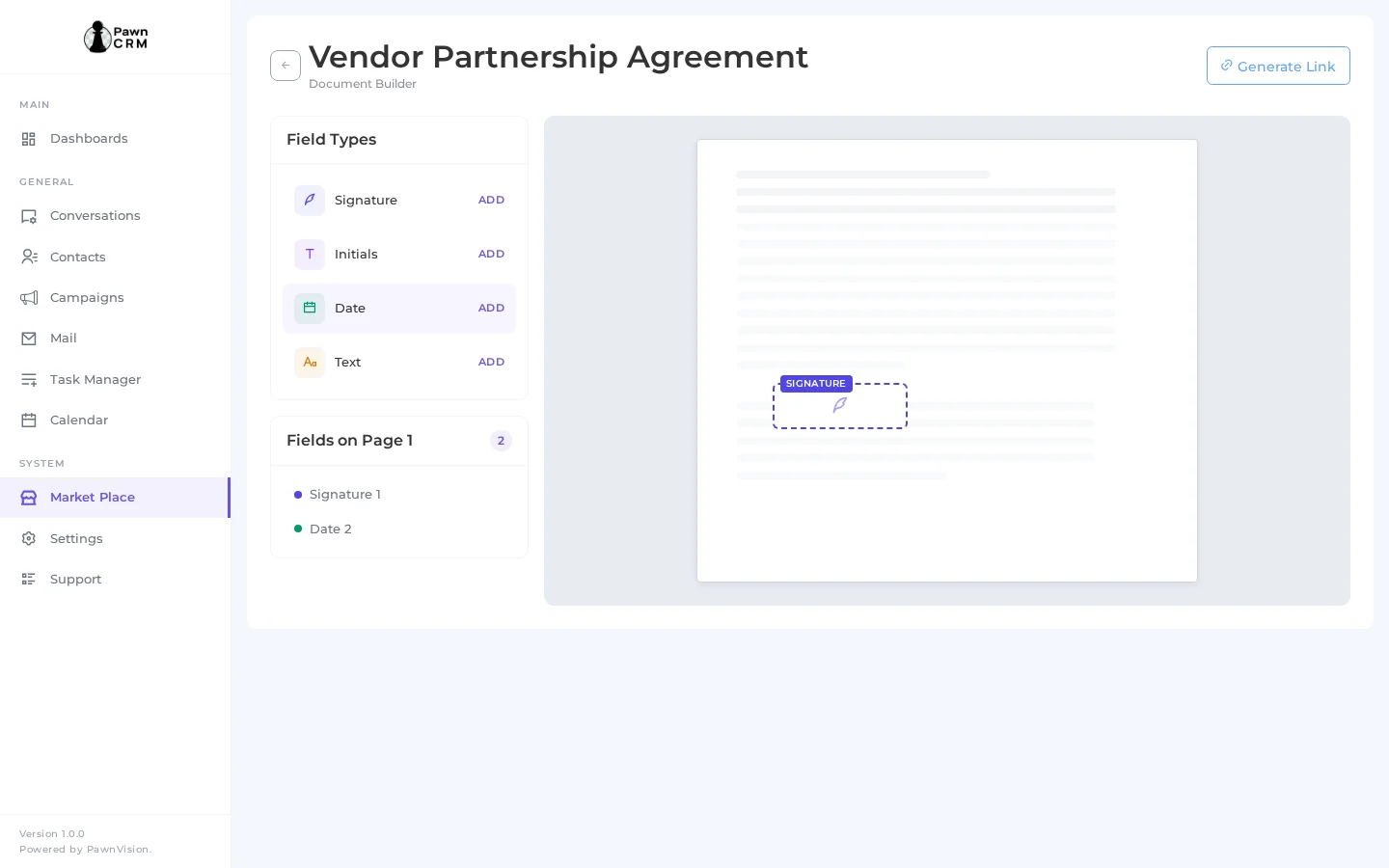
The Document Builder is where your PDF comes to life. The left panel shows a live preview of your uploaded PDF document. The right panel provides a toolbox of field types you can drag onto the document: Signature fields, Date fields, Text Input fields, Checkbox fields, and Initial fields. Each placed field appears as a clearly-labeled dashed outline on the PDF, making it easy to position fields exactly where you need them. The toolbar at the top lets you save, preview, or publish your document template.
Generating Signing Links
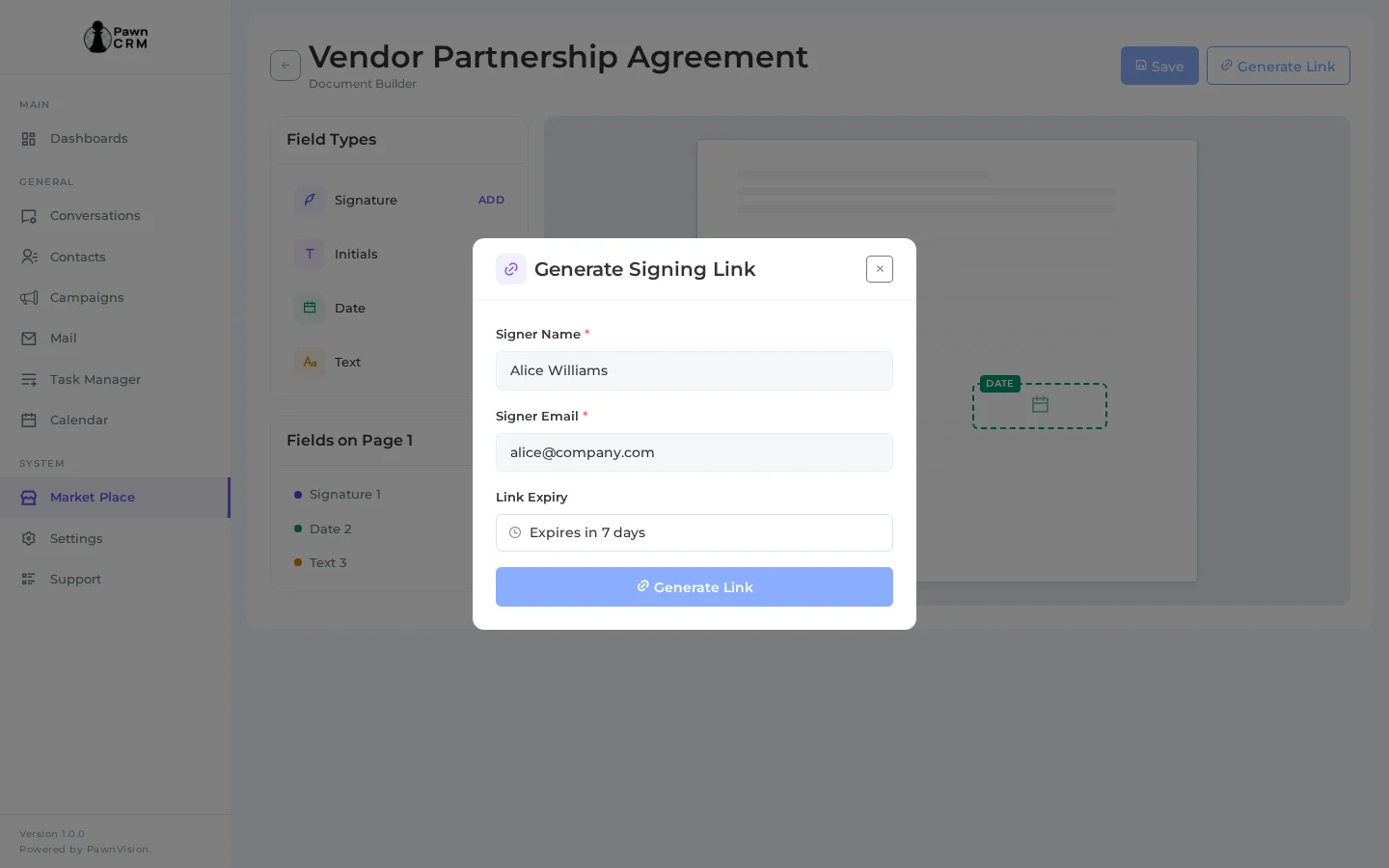
Once your document template is ready, generate a secure signing link to send to recipients. The Generate Signing Link modal lets you enter the signer’s name and email address, set an expiration date for the link, and add an optional personal message. Click “Generate Link” to create a unique, secure URL that you can share via email or any messaging channel. Each link is tied to a specific signer and expires automatically for security.
Tracking Signing Requests
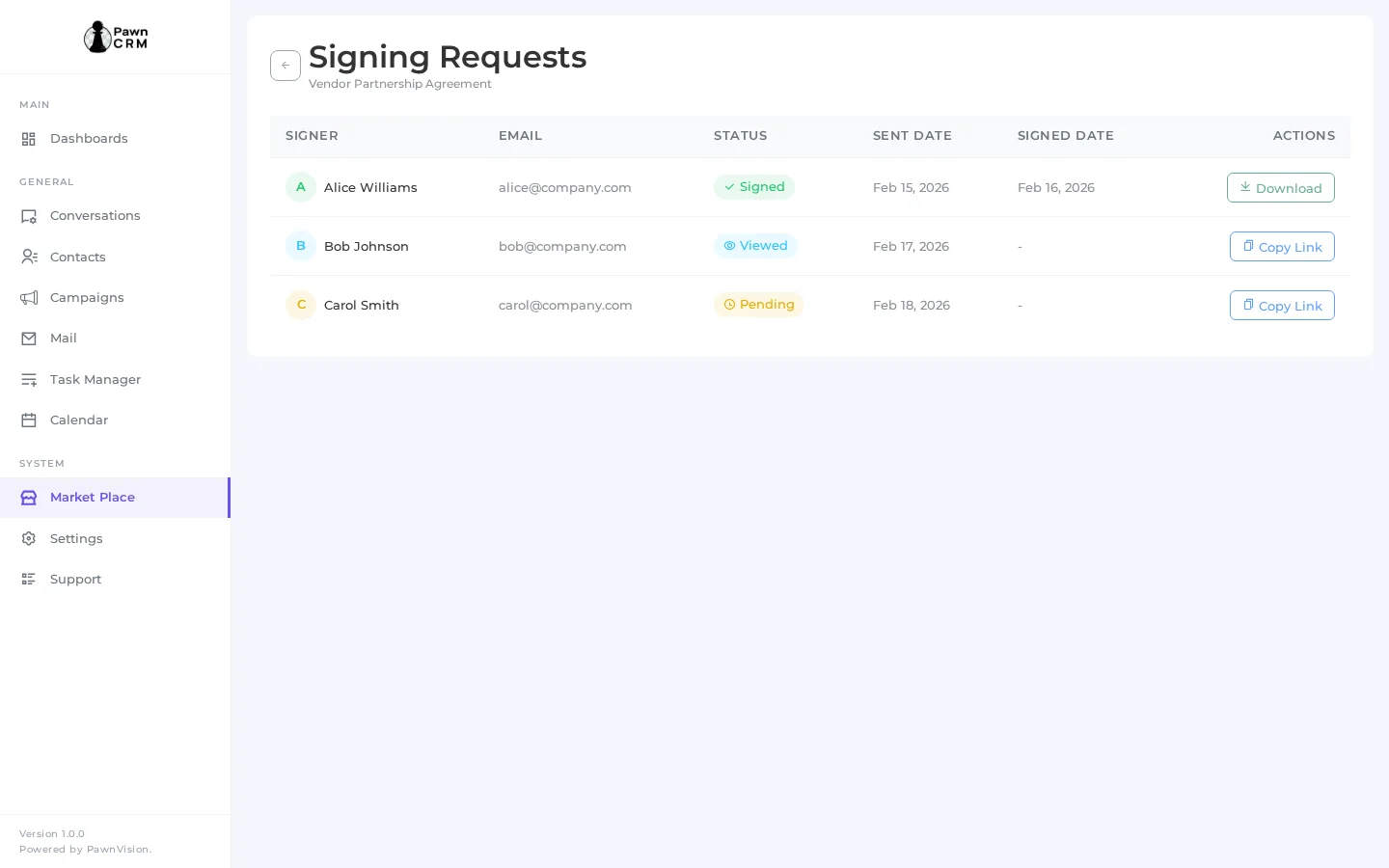
The Signing Requests tab gives you full visibility into every document you’ve sent for signature. The table shows the document name, signer details with contact information, status (Pending, Completed, or Expired), the date sent, and the expiration date. Color-coded status badges make it easy to identify which documents need follow-up. You can filter, search, and export request data for compliance and record-keeping.
PawnCRM’s Document Signing streamlines your entire contract workflow. From uploading PDFs and placing signature fields to generating secure links and tracking completion, everything happens inside your CRM. Start creating signing-ready documents today and close deals faster.
Related Articles
Continue exploring PawnCRM with these guides:
