
Twilio Integration Setup Guide – PawnCRM
Twilio is one of the most popular communication platforms for businesses, and PawnCRM makes it easy to connect your Twilio account for seamless SMS messaging. With our built-in Twilio integration, you can send and receive text messages directly from your CRM, manage multiple phone numbers, track message delivery, and monitor your communication analytics all in one place.
This guide walks you through the complete setup process, from entering your Twilio credentials to managing phone numbers and reviewing your messaging activity.
What You’ll Need
- A PawnCRM account with admin or configuration access
- A Twilio account (sign up at twilio.com)
- Your Twilio Account SID and Auth Token (found in your Twilio Console dashboard)
- At least one Twilio phone number provisioned for SMS
Step 1: Connect Your Twilio Account
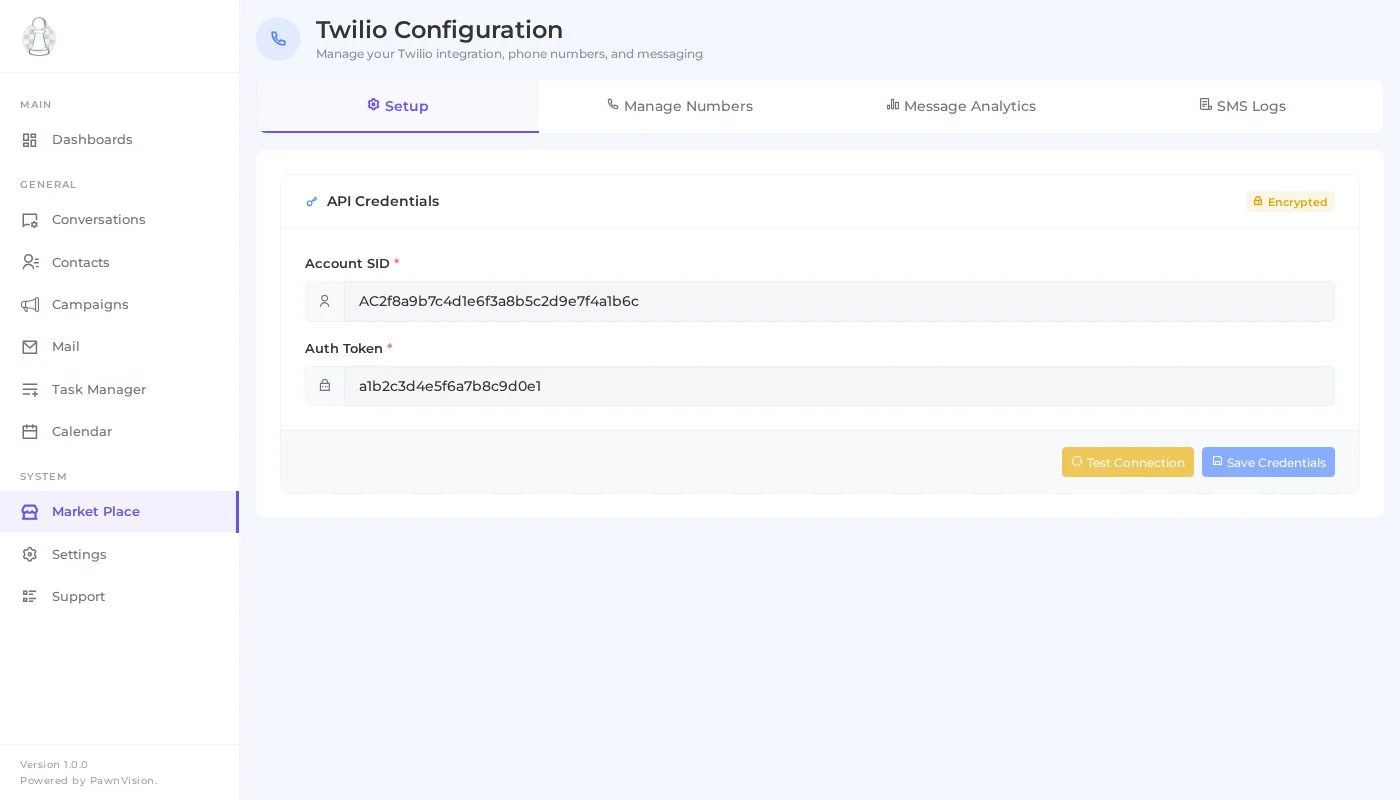
Head to the Configuration section in PawnCRM and select the Twilio integration. You’ll see a clean setup form where you enter your Account SID and Auth Token. These credentials securely connect PawnCRM to your Twilio account, enabling two-way SMS communication.
Once connected, PawnCRM automatically syncs your available phone numbers and sets up the messaging pipeline. The connection status is displayed clearly so you always know your integration is active.
Step 2: Manage Phone Numbers
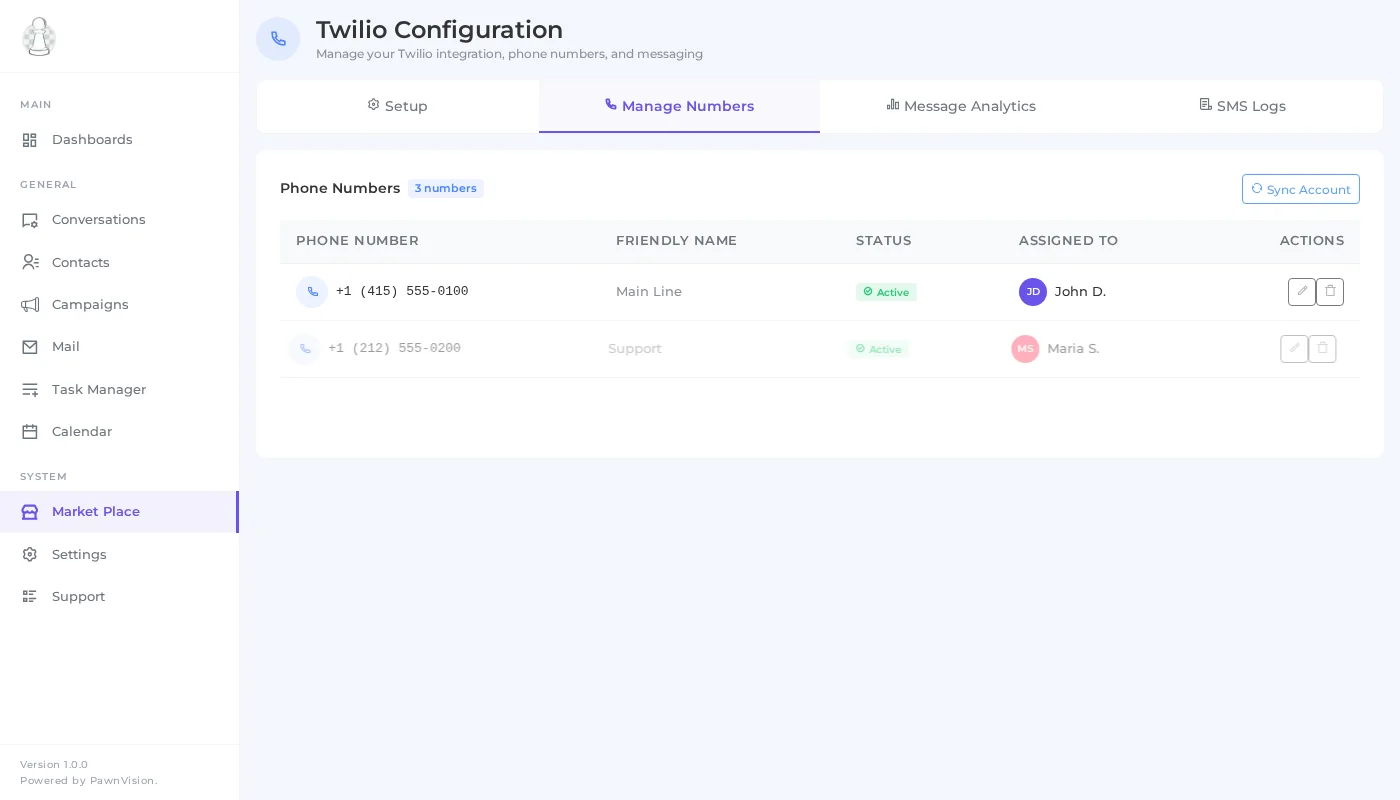
After connecting Twilio, navigate to the Phone Numbers tab to see all your provisioned numbers. Each number displays its assignment status, capabilities (SMS, Voice, MMS), and the team member it’s assigned to.
You can assign phone numbers to specific team members, making it easy to route conversations to the right person. The management interface lets you quickly see which numbers are active, unassigned, or need attention.
Step 3: Monitor Message Analytics
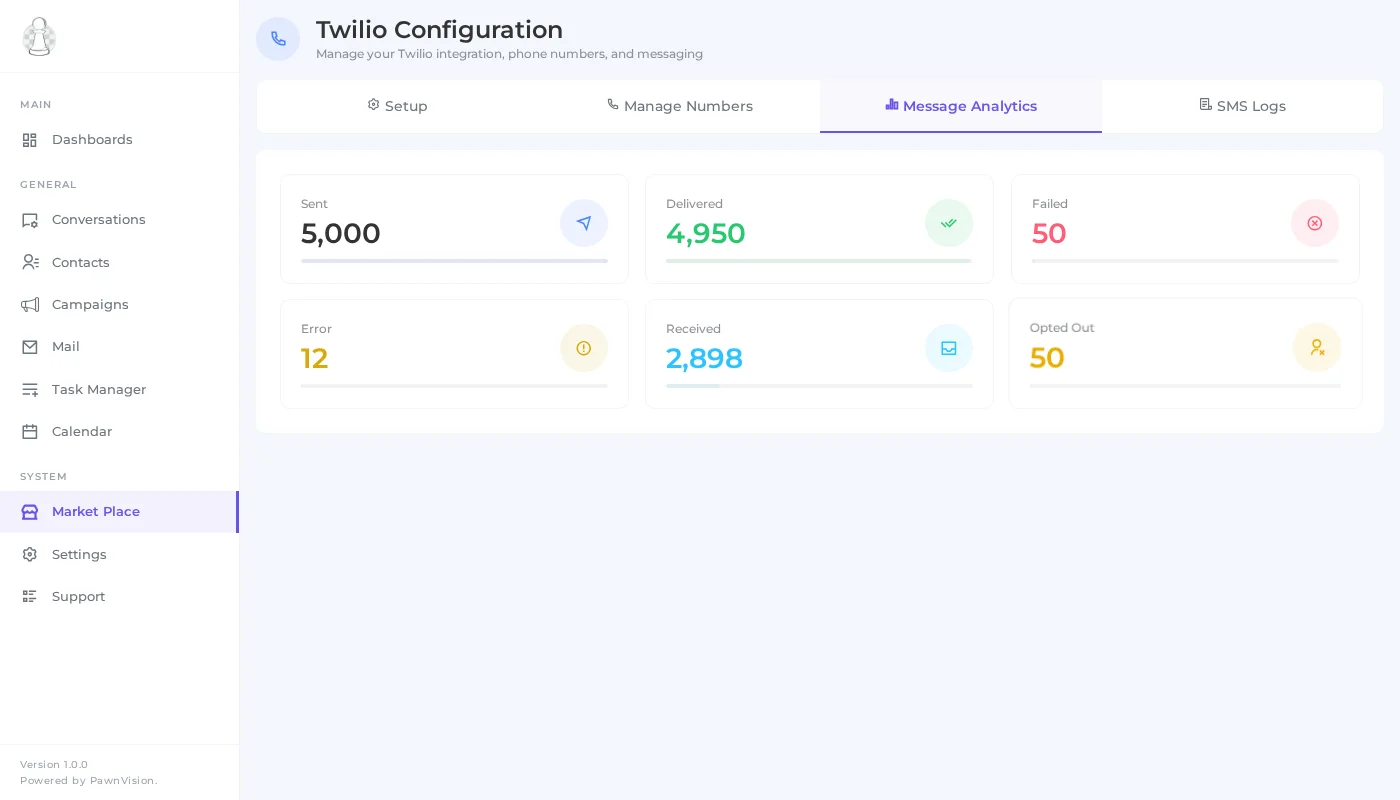
The Analytics tab gives you a real-time overview of your messaging performance. Track key metrics including messages sent, delivered, failed, and received. The visual dashboard makes it easy to spot trends and identify any delivery issues.
Use these insights to optimize your communication strategy, ensure high delivery rates, and understand your messaging volume over time. The analytics update automatically as messages flow through your system.
Step 4: Review SMS Logs
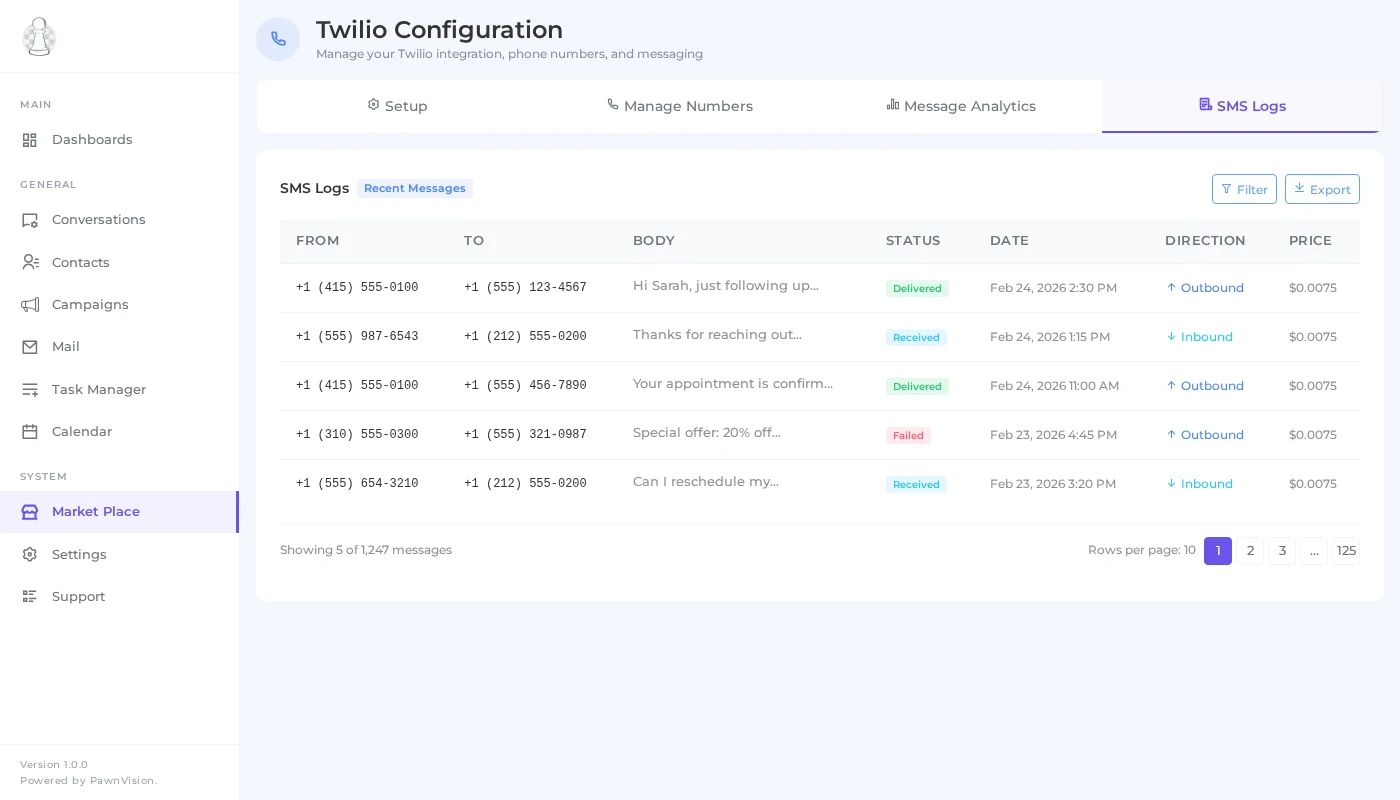
The SMS Logs section provides a detailed history of every message sent and received through your Twilio integration. Each log entry shows the message direction (inbound or outbound), delivery status, timestamp, recipient, and pricing information.
Filter and search through your logs to find specific conversations, troubleshoot delivery issues, or review communication history with particular contacts. This level of transparency gives you full visibility into your SMS operations.
Tips for Twilio Integration
- Keep credentials secure — Never share your Auth Token publicly. PawnCRM stores it encrypted.
- Assign numbers to team members — This ensures replies go to the right person and keeps conversations organized.
- Monitor delivery rates — Check analytics regularly to catch any delivery issues early.
- Review logs for compliance — SMS logs help you maintain records for regulatory compliance.
- Use dedicated numbers — Assign different numbers for different purposes (sales, support, campaigns).
What Can You Do Next?
Now that your Twilio integration is set up, explore these related features:
- SMS Campaigns — Send bulk text messages to your contacts
- Email Campaigns — Create and send professional email campaigns
- Contact Management — Organize and manage your CRM contacts
- Chat & Messaging — Communicate with contacts in real time
Related Articles
Continue exploring PawnCRM with these guides:
